
Agency notes & docs
A connected knowledge base for your agency
A Notion-style block editor with slash commands, nested sub-pages and inline links to any record — organized per client, with a hard line between internal and client-shared docs. See it work below, or start your own workspace.
Already have a workspace? Sign in
- Plans from $99/month
- Built for multi-client agencies
- Your brand across the console
Agency notes & docs
Collaborative notes and a knowledge base built for agencies
Agency knowledge ends up scattered — a strategy doc in one drive, meeting notes in someone’s personal app, a process write-up buried in an email thread — and nobody can ever find the current version. The Notes workspace in AI Marketing Dashboard gives your team a Notion-style block editor and a per-client knowledge base in the same workspace as the projects, CRM and files the documentation is actually about, so every brief, process and account playbook lives in one searchable, structured place instead of ten disconnected ones.
From draft to client page
Write it, file it, link it, share it
A document takes the same four steps through Notes, whether it is a kickoff brief or a reporting playbook.
The four steps
A page, start to finish
Write in blocks
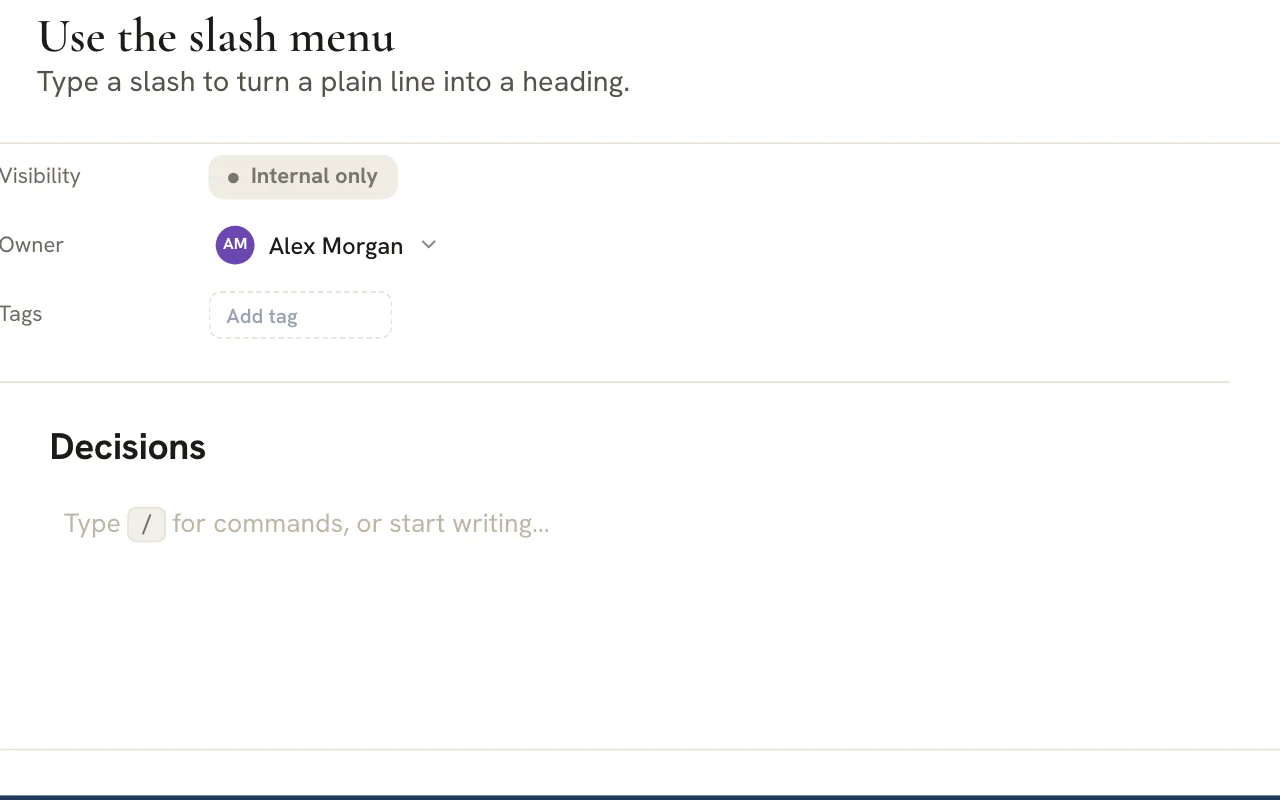
Type a slash for headings, callouts, tables, toggles, code and more. Markdown shortcuts work as you type, and every block drags into place.File it under the client
Each client has its own page tree, split into Internal and Client tabs. Switch client and the tree switches with you.Link the records
Use Link to… to drop in a chip for any record you mention, such as a lead, a project, a task or a meeting. Following a chip opens it with the right client already selected.Share the page
A switch on each page decides whether the client sees it. Shared pages reach the portal as read-only documents.Scale plan
In the editor
Small details that keep a knowledge base tidy
Paste
Paste a document, keep its shape
Copy a page from another document tool and paste it in. Headings, lists and tables arrive as separate blocks instead of one long paragraph.Move to…
Move a whole branch
Move a page and its sub-pages under a new parent, or into another client's tree, in one action.Tags and export
Tag pages with suggestions drawn from the tags already in use, and export any page as Markdown.Mentions
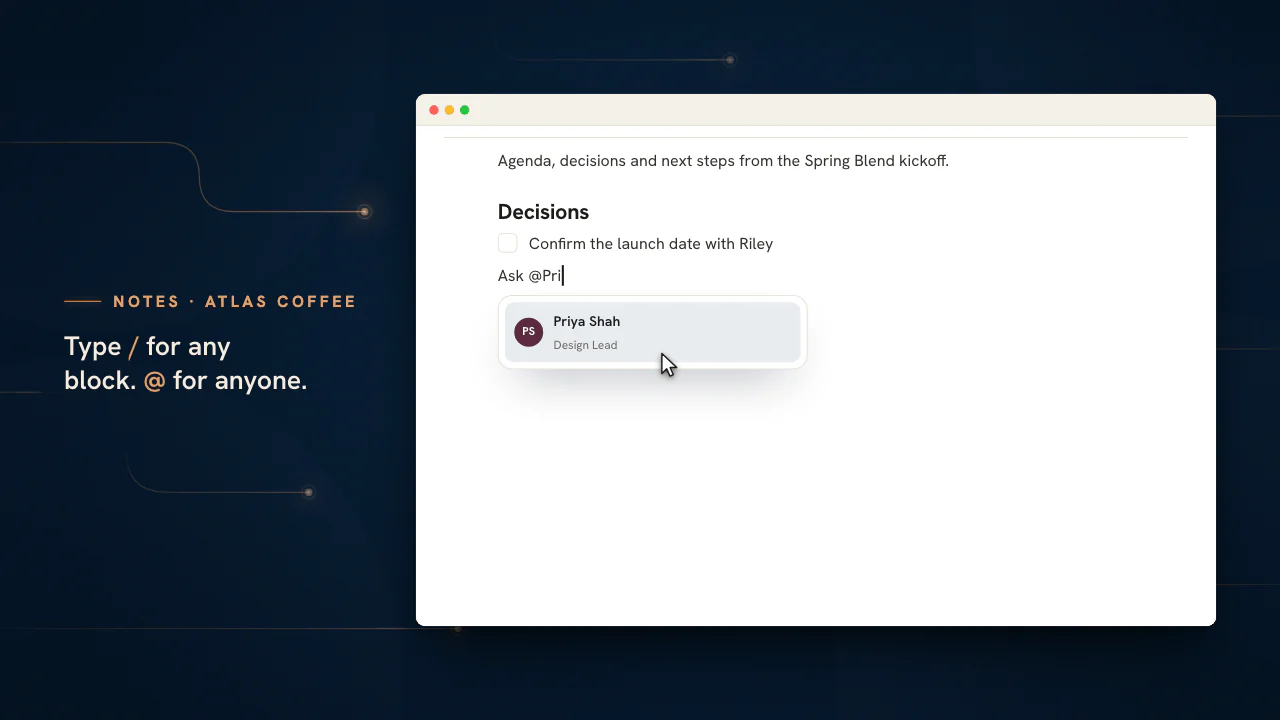
Mention a teammate
A mention notifies the person you name, and an admin can assign them to the client from the prompt if they are not on it yet. Clients reading a shared page see plain names, never internal keys.
Write the playbook once, where the work happens
Open a client's page tree, type a slash and start documenting. Share a page only when it is ready.
Plans start at $99/month.
On this page

A Notion-style block editor for every agency document
Type a slash, pick a block, and build a real document
The document body is a true block editor, not a plain text box. Type a slash anywhere and an insert menu offers sixteen block types — paragraphs, three heading levels, quotes and callouts, a divider, bulleted, numbered, to-do and toggle lists, tables, code blocks, images, web bookmarks and even nested sub-pages — so a kickoff brief, a process runbook and a meeting recap can each take exactly the shape they need.
It is fast to write in because it works the way you already type. Markdown shortcuts convert as you go — a hash makes a heading, a dash starts a bullet, a number begins an ordered list, a greater-than sign opens a quote and square brackets create a checkbox — and every block carries a handle to drag it into a new position. The result feels like a modern document tool, built into the console rather than bolted on beside it.
Per-client page trees keep documentation organized by account
A tidy tree of pages for every client, not one shared dump
Every client gets its own tree of pages, split across an Internal tab and a Client tab, with search and favorites so the document you need is a couple of keystrokes away. An agency's documentation is organized by the account it belongs to — this client's strategy, that client's brand notes, the other one's reporting cadence — rather than poured into a single folder that grows unusable by the third project.
Because the tree is scoped to the active client, switching clients re-roots your notes to that account automatically, and a page you star floats to the top for quick return. New accounts you add in the subaccounts manager get their own space to document from day one, so the knowledge base scales with the roster instead of becoming the place old docs go to be lost.
Slash commands and rich blocks for structured writing
A filterable command menu and blocks that actually do things
The slash menu is filterable and fully keyboard-navigable — start typing the block you want and arrow through the matches — so power users never reach for the mouse. Tables add and remove rows and columns inline, toggles expand and collapse nested lines, callouts take a custom emoji, code blocks keep formatting intact and image blocks render artwork right in the flow of the page.
The editing model is deliberately tidy. Pressing Enter splits a block and continues a list; Backspace at the start of a styled block demotes it to plain text and then merges it upward; the arrow keys move between blocks the way a writer expects. Editing commits when you click away, so a half-typed line is never lost, and the document stays a clean, structured thing rather than an unscannable wall of text.
Nested sub-pages give you a real wiki, not a flat list
Pages within pages, with a structure that cascades
Documentation needs hierarchy — an account overview that contains a brand section, a strategy section and a meeting-notes section, each its own page. Create sub-pages straight from the tree, from a page’s menu, or with the slash sub-page command, which also drops an inline link to the new page where you were typing, so the structure builds itself as you write.
It behaves like a wiki rather than a list. A page can nest as deep as the work demands, the tree reflects that nesting at a glance, and deleting a page cascades its whole subtree so you never leave orphaned children behind. That is the difference between a notebook you outgrow and a knowledge base that holds an entire client account in one navigable structure.
Link any record in the console straight into a note
Reference a lead, project, task, meeting or file inline
A note is rarely about nothing — it documents a deal, a project, a campaign, a meeting. The link-to command opens a searchable, kind-filtered picker that drops a clickable reference to a team member, subaccount, CRM lead, project, task, theme, form, copy, creative, meeting, chat or file directly into the page, alongside ordinary links to other note pages.
Each reference deep-links into the relevant tool and sets the active client when you follow it, so a meeting recap can point at the exact CRM lead it concerned and a process doc can link the project it governs. That turns your notes from a dead-end archive into the connective tissue of the whole console — the place that ties documentation to the live work it describes.
What an agency should write down, and who should read it
A knowledge base earns its place when the right page exists before the question is asked. Decide the audience as you decide the page.
| Page | What it holds | Who reads it |
|---|---|---|
| Account playbook | How this client likes to work, who approves what and the things not to say | Your team only |
| Kickoff record | The goals, scope and success measures agreed on day one | The client, once it is final |
| Reporting notes | What each monthly report should explain and why a number moved | Your team, then the client when ready |
| Process runbook | The steps of a repeatable job, with an owner for each | Your team only |
| Meeting recap | Decisions and actions from a call | The client, if they were on it |
| Decision log | A dated list of choices and the reason behind each | Your team only |
| Approved scope | The plan the client signed off | The client |
| Open questions | What you are waiting to hear back on | Your team, with a named owner |
Each page lives inside one client's page tree, split into an Internal tab and a Client tab. The tab you are in, and the Visibility line on the page itself, tell you at a glance whether it is Internal only or Shared with client.
Building a client's page tree in five steps
The same short routine covers a brief, a runbook and a recap.
Choose the account and the tab
Pick the client in the switcher and start in the Internal tab. The tree re-roots to that account, with search and favorites for getting back to a page quickly.
Create a page named for its job
Choose New page and replace Untitled with a title that says what the page is for, such as Reporting notes for April. A teammate searching later will type the job, not your initials.
Shape it with the slash menu
Open the slash menu to insert a heading, a callout, a table, a toggle or a code block, or rely on markdown shortcuts as you write. Drag any block by its handle to reorder the page.
Make it actionable
Add a to-do list for the next steps, mention the person who owns each with @, and use Link to… to attach the lead, task, meeting or file the page is about.
Set status, owner and visibility last
Move the page from Draft through In progress and In review to Approved, confirm the owner, and share it with the client only when the version is one you are happy for them to read.
Note
Where you create a page decides who can read it
A page created while the Client tab is open starts out shared with the client. If you want a draft first, create it in the Internal tab and use Share with client when it is ready, and the page moves to the Client tab. Make internal in the same menu takes it back.
Writing pages people can act on
A page is finished when a teammate could do the next thing without asking you.
- Open with the decision or the request in the first two lines, and put the background underneath it.
- Give one page one purpose. When a second subject appears, make it a sub-page and link to it from the parent.
- Turn next steps into to-do blocks with a named owner, and keep the long reasoning in a toggle so the page stays short to scan.
- Use a callout for the one warning a reader must not miss, and a table when you are comparing options side by side.
- Link the records a page documents. Following a link opens the lead, task, meeting or file with the right client already selected, so the page and the work point at each other.
- Tag pages with words the team really uses. The tag box suggests the tags already in use, which keeps one spelling for each idea.
- Client
- The account whose tree the page sits in. Move to… takes a page and its sub-pages to another client.
- Status
- Where the page is in its life: Draft, In progress, In review, Approved or Logged. A new page starts as a Draft.
- Visibility
- Internal only or Shared with client. It follows the Share menu and decides which tab the page appears in.
- Owner
- The teammate who keeps the page true. It starts as whoever created the page and can be changed from a list of teammates.
- Tags
- Free labels you add to a page. The box suggests tags already in use so that one idea keeps one spelling.
Paste a document written elsewhere and Notes splits it into proper blocks. Each heading, list and table keeps its shape instead of collapsing into a single paragraph, so moving old documentation in is a series of pastes rather than a retyping job.
What changes when a page is shared with a client
Sharing is a switch on the page, not a separate document, so there is never a second copy to keep in step.
Agency owners
Set the rule once
Decide which kinds of page the client may read, then hold the team to it. A Visibility property on every page makes the rule checkable at a glance.
- Internal only is the safe default for drafts
- Shared pages are the ones you would be happy to stand behind
Your team
Write frankly, share deliberately
Keep candid notes in the Internal tab and share the polished page on purpose. Mentions notify the teammate you name, and an admin can add them to the client from the prompt.
- Share with client and Make internal sit in the Share menu
- Move to… can take a page and its sub-pages to another client
Your clients
A clean, read-only page
The client opens shared pages in their portal as documents they can read but not edit, with mentions shown as plain names rather than internal keys.
- Only pages marked as shared appear
- Everything in the Internal tab stays out of sight
Plan
Plans and the client's view
Notes are included on every plan. Shared pages reach clients through the client portal, which starts at Scale ($699 a month) and also comes with Enterprise.
Keeping the tree tidy as the knowledge base grows
Documentation rots when it is hard to find or hard to move. Notes has the controls to prevent both.
- Star the pages you return to. Favorites float to the top of the tree.
- Name pages for their job, because the search box matches page titles.
- Use Move to… to relocate a page with every sub-page under it, including into another client's tree when a piece of work changes hands.
- Duplicate a page that works as a template, and rename the copy for the next account.
- Export a page as Markdown before you delete it. Deleting removes the page and everything nested under it for good.
- Treat the Owner property as the person who keeps the page true. A page without a live owner is the first to go stale.
Pages that document a task, a lead or a meeting belong beside those records, so link them from Projects, the CRM and Meetings as you go. A short brief that a whole team should always find belongs here; a finished artifact such as a logo or a PDF belongs in Files.
Notes next to a document editor or a wiki
A general-purpose editor is the right tool for plenty of work. This table shows where an agency's needs differ.
| Need | In Notes | In a standalone editor or wiki |
|---|---|---|
| Know whose account a page is about | Every page sits in a client's tree | A folder naming habit the team has to keep up |
| Keep internal and client-readable pages apart | Two tabs and a Visibility property on every page | Sharing set page by page, outside your client list |
| Connect a page to the work it documents | Link to… opens the lead, task, meeting or file with the client selected | A pasted address to a different system |
| Keep every page's owner and status in view | Owner, Status and Visibility properties on every page | A convention in the page title or a separate tracker |
Notes is a shared knowledge base with an owner for each page. A page saves as you finish each block and a teammate's change shows once you reload, so agree who edits a page and use a mention or a Chat message to hand it on.
Frequently asked questions
Can my clients edit a page I share with them?
No. Shared pages open in the client portal as read-only documents, and mentions appear as plain names. A client can read what you choose to share and nothing more. Clients read shared pages through the portal, so that side needs the Scale or Enterprise plan, while writing pages is part of every plan.
What is the difference between the Internal and Client tabs?
The tabs sort a client's pages by audience. The Internal tab holds pages only your team reads, and the Client tab holds pages shared with the client. A new page starts with the audience of the tab you create it in, and the Share menu switches a page between Internal only and Shared with client.
How do two teammates work on the same page?
A page saves as you finish each block, and a teammate's change shows once you reload. Give each page an owner, agree who edits it, and hand work on with a mention, so every change lands in order.
Can I export a Notes page?
Yes. Open the page's More options menu and choose Export as Markdown to download the page. It is worth doing before you delete anything, because deleting a page removes it together with every sub-page under it, for good.
Can I move a page to a different client?
Yes. Choose Move to… from the page's menu and pick a new parent, either under the same client or in another client's tree. The page travels with all of its sub-pages. This suits a runbook that started on one account and turned out to apply to several.
How do I get a teammate's attention on a page?
Type a slash and choose Mention a teammate, or type the at sign and pick a name. The person is notified when the page saves. If they are not yet on that client, an admin can add them from the prompt that appears, so the mention reaches someone who can open the page.
Can I paste content from another document tool?
Yes. Paste from a word processor or another notes tool and Notes converts the structure into blocks: headings stay headings, lists stay lists and tables become tables. The image block takes a web address, so a picture shows in the flow of the page from wherever it is hosted.