
Agency client management
Onboard and manage every client account
Client profiles, brand-intake briefs, scope of work, retainers, onboarding checklists, team roles and invoices — one structured record for every account your agency manages. Try the demo below, or start your own workspace.
Already have a workspace? Sign in
- Plans from $99/month
- Built for multi-client agencies
- Your brand across the console
Agency client management
Client onboarding and account management for marketing agencies
A marketing agency lives or dies by how well it manages its roster of client accounts — and most teams scatter that information across a shared drive, a spreadsheet of retainers, an intake form in someone’s inbox and a half-finished onboarding doc nobody can find. Client Management in AI Marketing Dashboard gives every client you manage a single, structured account record: who they are, what their brand sounds like, the scope you’ve agreed, the checklist that gets them launched, the people on their team and the invoices on their ledger. This is the home for your client relationships, kept deliberately separate from your sales pipeline and your file drive.
Client onboarding
Four steps from a signed deal to a working account
Each step feeds the next, and the onboarding checklist ticks itself off as the information arrives.
Create the account
Name the client in one short dialog and finish the rest on its profile. A Files drive is created with folders for marketing, design and development.Let research draft the profile
An Agency Admin starts a research run, and seven AI researchers work through as many as 44 public documents, citing every fact. Only profile fields that are still empty get filled.Scope the work
Choose from twelve services. Each lists the platform access it needs, and those requests become checklist items and step-by-step cards for the client.Invite the client
Create the client's portal and queue an invitation. Their admin signs the agreements, confirms the company details and takes a short tour.Scale plan
The client's side
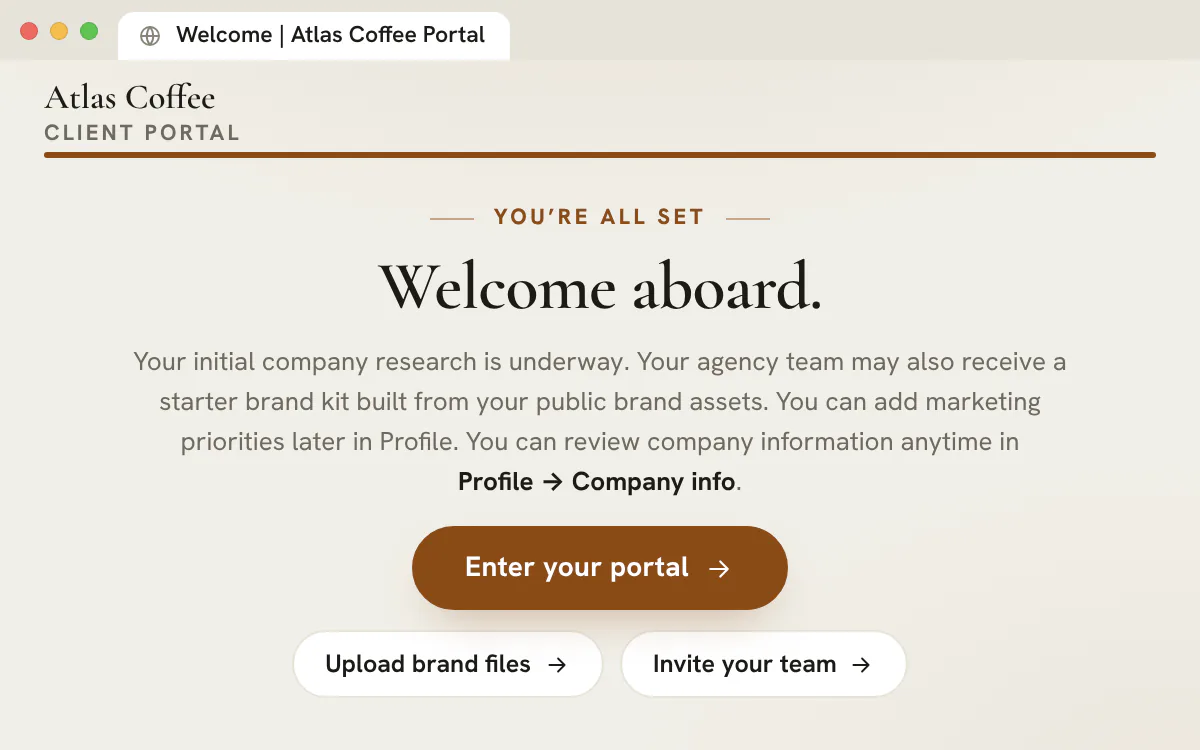
A welcome that wears the client's brand
- Agreements, company details and a 60-second tour
- Clients see only the work you choose to share
- Up to 20 portal people per client, and none of them takes a seat from your team
- Home
- Chat
- Projects
- Pipeline
- Files
- Notes
- Library
- Academy
- Support
- Profile
One profile
Everything about the client, in one place
Eleven tabs hold the whole relationship, so anyone on the team can pick up an account without asking around.
Scope of Work
Services in scope, and the access they need
Twelve catalogue services plus your own custom ones. Switch a service on and its access requests reach the Account Manager and that service's role lead. Remove one and Undo restores it exactly as it was.
Google Ads, Meta Ads, SEO, Blogs, Social Media, Landing Pages, Websites, Design, AI Agents, Merchant Center, Tag Manager and Bing Ads.
Research
Cited research and a brand kit
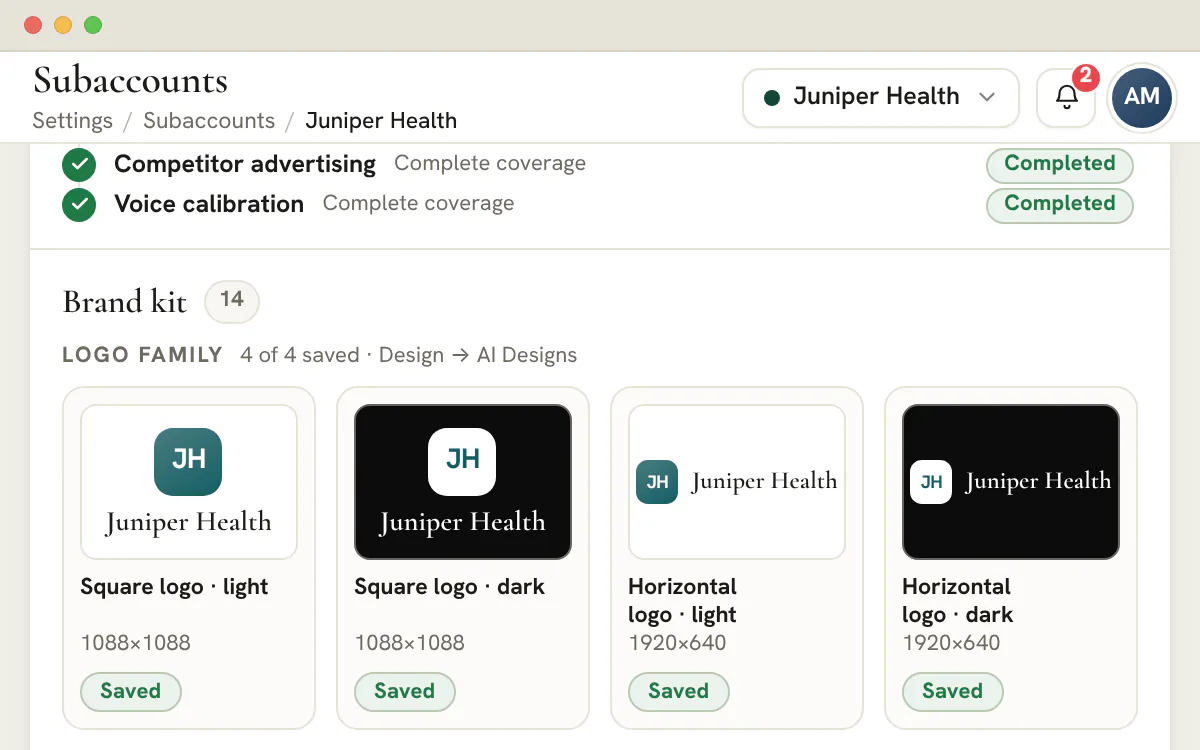
Every fact carries its source. The kit is built from the company's real artwork: light and dark logos, profile pictures, social covers and a brand guidelines PDF.Contracts
Prepare, sign, countersign
Upload a PDF, place signature, date and text fields, add the parties and countersign. Keep a layout as a template for the next client.Team and roles
Four role leads per client
Account Manager, Marketing, Design and Development, with additional members beneath them, so ownership is never a guess.Accounting
Invoices on the account
Send invoices, record payments and send reminders from the client's Accounting tab. Connect your own Stripe account and a client admin can pay from the portal.
Onboard your next client in one place
Create your workspace, add the account and let research and the checklist do the first round of work.
Plans start at $99/month.
On this page

Client profiles and brand briefs in one structured record
Everything you need to know about an account, on the account
Each managed client gets its own profile — an editable record carrying the essentials your team reaches for constantly: company name, industry, the date you began working together, the plan they're on, their working timezone, account status and a profile picture. It's the at-a-glance identity of the relationship, so anyone picking up the account knows who they're working for without asking around.
Underneath the profile sits a full brand-intake brief, organized into seven sections you fill in once and reference forever: Company Background, Target Audiences, Services, Social Media, Brand Guidelines, Competitors and Voice. Instead of hunting for the kickoff questionnaire in an old email thread, the strategist, the copywriter and the designer all read from the same brand brief — and the brand assets you attach here also surface in the client's file drive, so the logos and guidelines live where the work happens.
Scope of work and retainers you can actually keep current
What you're delivering, what it costs, and where it stands
The scope tab is fully editable rather than a static document. A stats band across the top summarizes the account at a glance — how many services are active, how many are paused, what's still available, the retainer figure and the hours committed — so the shape of the engagement is legible the moment you open it. No more digging through a signed PDF to remember what a client is actually paying for.
Each service is its own card with an editable status, a note and a budget or KPI target, you can add custom services for anything outside the standard menu, and an editable documents list keeps the statements of work and addenda attached to the account. When a retainer changes or a service pauses, you update the record in seconds — and the scope that everyone references stays true instead of drifting out of date.
Onboarding checklists so every new client launches the same way
A repeatable launch sequence, not a fresh scramble each time
Onboarding a new client is the moment an agency is most likely to drop a step — access not granted, a pixel not installed, an intro call not booked. Each account carries its own onboarding checklist, so a new client follows the same repeatable launch sequence every time and nobody is improvising the first two weeks from memory.
Because the checklist lives on the account rather than in a generic task list, the launch state is always visible alongside everything else you know about the client. Anyone on the team can open the account and see exactly what's done and what's still outstanding before the relationship is fully up and running — which is how a growing agency keeps a consistent first impression across every new logo it signs.
Team and role assignments mapped to every account
Who owns what on each client, made explicit
Every client needs clear ownership, so each account has role-lead cards for the core functions — Account Manager, Marketing, Design and Development — naming the single person accountable for that discipline on that client. When a question comes in or work needs assigning, there's no ambiguity about who runs which part of the engagement.
Beyond the leads, an additional-team-members section lets you assign anyone else to the account without making them a lead, so contributors who touch the work are on the record without muddying who's actually responsible. The result is a staffing map per client that the whole agency can read at a glance — and that stays attached to the account as people rotate on and off it.
Accounting and invoices kept on the account
The financial side of the relationship, where the rest of it lives
An agency's relationship with a client is operational and financial, so the account record keeps the money side close to everything else. Per-client invoices and accounting live on the account, so when you're reviewing a relationship you're not jumping into a separate billing tool to remember where things stand.
Keeping the financial picture next to the scope, the brief and the onboarding state means an account manager can speak to the whole relationship from one place — the work agreed, the work delivered and the invoices behind it — instead of stitching the story together from three disconnected systems before a renewal conversation.
Per-client data settings, organized on the account
Where each client's technical setup is meant to live
Beyond the human side of a relationship, every client comes with technical plumbing — the domains and DNS you manage, the email authentication that keeps their campaigns deliverable (SPF, DKIM and DMARC), and the Twilio Voice setup behind phone numbers, routing, trust and provider readiness. A per-client Data Settings tab is the designated place this configuration is organized, account by account.
Rather than tracking each client's domains, email records and voice infrastructure in scattered notes, the account record is where that technical context belongs alongside the brief and the scope. SMS and A2P remain a separate future messaging domain, while the current Twilio surface stays focused on voice. The full operating picture of a client — brand, scope, finances and infrastructure — sits in one structured record instead of being spread across separate tools.
A client onboarding process for agencies, from signed deal to first deliverable
Good onboarding is a sequence in which each step feeds the next. This one runs the same way for every client, so nothing depends on who set the account up.
Write the brief
Answer the company questions on the Profile tab in plain words. Every answer saves when you leave the field, so there is no form to submit and no draft to lose.
Use research as a head start
An Agency Admin can start a research run whenever a company name and a public website are known. Findings carry citations, and only profile fields that are still empty are filled.
Define the engagement
Switch on the services you will deliver, then give each a status, a note and a spend or results target. Every service declares the platform access it needs.
Name the account team
Pick a lead for each of the four roles, then add other contributors under them. Anyone opening the account can see who answers for design, development, marketing and the relationship. Team members see only the clients they are assigned, which you set on Team Members.
Prepare the paperwork
Upload an agreement as a PDF, then use Prepare to place the fields and set the parties in signing order. A signed Master Services Agreement completes its checklist item without anyone ticking it.
Ask for what is missing
The Onboarding tab counts what is outstanding. On any plan it prepares a list you copy and send yourself, because nothing is emailed from the tab. With the client portal, each requested access becomes a card of steps the client follows.
How the onboarding checklist knows what is done
Most items tick themselves when the evidence exists. Only the ones the workspace cannot detect are ticked by hand.
| Checklist item | Counts as done when |
|---|---|
| Company background, audiences, services, social media, competitors and voice | At least half of that section's questions in the brief are answered |
| HQ address and monthly ad-spend budget | The matching brief answer is filled in |
| Logo, brand guidelines, fonts and photography | Files arrive in that category, or someone ticks it |
| Share creatives, copy and other files | Every one of those brand categories is complete |
| Master Services Agreement | The document reaches Signed |
| Billing contact | The account has at least one billing contact |
| Invite team members to the dashboard | The client portal has at least one member |
| Give access to the platforms needed | Every requested access has been ticked |
| The tour, NDA, ad-spend contract, legal name, tax number, meeting invites and each individual platform access | Ticked by hand |
The same rules run on every surface, so a signature given in the client's portal, in the welcome flow or by an agency countersignature closes the same step for everyone. The agency's view and the client's view cannot drift apart, because both read one record per item. Brand files uploaded here, or by the client, land in the account's Files drive under Design.
Note
The checklist is scoped, not generic
Access items appear only for services the client has in scope, and the Voice group appears only when AI Agents is in scope. A client is not asked for a login that no service needs.
Which platform access each service in scope asks the client for
Switching a service on in the Scope of Work tab decides which accesses the client is asked to grant.
| Service in scope | Requested by default | Optional extras you can switch on |
|---|---|---|
| Google Ads | Google Ads | Google Analytics |
| SEO | Google Search Console | Google Analytics, Bing Webmaster Tools |
| Merchant Center Management | Google Merchant Center | None |
| Google Tag Manager Management | Google Tag Manager | None |
| Bing Ads | Bing Ads | None |
| Meta Ads and Social Media | Meta Business Suite | None |
| Landing Pages and Websites | Domain and DNS | CRM access |
Each request is addressed to the Account Manager and the service's own role lead, plus anyone else you add, so the client knows whose email to invite. A platform is requested once even when two services need it. Blogs and Design ask for no platform access, and AI Agents adds a branded calling agreement to the checklist instead.
Plan
Access cards need the client portal
The step-by-step access cards belong to the client portal, a Scale and Enterprise feature. On other plans you still choose the requests, and the Onboarding tab copies the list.
Read the whole client roster at a glance
The tiles above the roster answer the account management questions an owner asks on a Monday, and each one doubles as a filter.
| Tile | What it shows | Pressing it shows |
|---|---|---|
| Active | Active clients, and the monthly retainer they add up to when retainers are set | Active clients only |
| Onboarding | Clients still onboarding, and how many setup steps are done | Onboarding clients only |
| Scope of work | Service lines that are live, and how many are paused | Clients with a paused service line |
| Platform access | Accesses granted out of those requested | Clients with access still outstanding |
| Outstanding | The unpaid invoice total, and how many invoices are overdue | Clients with a balance |
| Needs attention | Clients rated Unhappy or At risk | Those clients only |
Below the tiles, the roster has sortable columns you choose from a picker, filter chips you can remove one by one, and groups that work like folders. A client belongs to one group, Ungrouped comes last, and grouping reorders the list without hiding anyone. Most cells edit in place: industry, primary contact, retainer, status and happiness.
The happiness rating runs Unhappy, At risk, Neutral, Happy and Thriving. Your team sets it, which makes the Needs attention tile a prompt for a conversation rather than a score the system computes on its own.
Prepare agreements and invoice the client without leaving the account
Paperwork and money live beside the brief and the scope, so whoever fronts the account can answer questions about the whole relationship without opening another tool.
Agreements that stay with the account
Contracts sit on the Scope of Work tab. Upload a PDF and it goes to the client's portal for signature; Prepare opens a designer where you drag signature, date and text fields onto its pages and add the parties in signing order. Fields are placed against the page itself, so a box lands in the same spot on any screen. A document counts as signed only after every party with fields has finished, and a saved layout keeps the arrangement only, never a signature or an answer.
Invoices, reminders and payment links
The Accounting tab is the client's receivables desk. Create an invoice from your product catalogue, email it, then record payments or chase overdue ones from the same list. Connect your own Stripe account and an invoice can carry a payment link. A hosted invoice page works for anyone holding the link.
Plan
What the portal adds
Document signing and invoicing belong to every plan. Signing by the client and paying inside a portal both require Scale or Enterprise.
Hand the account over: portal brand, visible sections and people
The portal is where the client meets the work, so its look, its sections and its guest list are all set from the account.
Portal Brand sets the client's colors and sidebar, and the client's profile picture becomes the portal logo. Portal Access then controls what they see: hide chat, projects, pipeline, files, notes, library, academy or support and the section leaves their navigation, their Home and their bell. Home and Profile always remain.
A portal holds up to 20 people, pending invitations included, and portal people never use your team seats. Only an Agency Admin can appoint a portal's first client admin; after that, the client admin and your team can invite client team members. Each invitation shows whether its email was queued, sent or blocked, and can be resent as a fresh one. Pair it with the client training academy so the first visit is not unguided.
Agency owners
See every account's state
Know which clients are onboarding, who still owes access, what is unpaid and who is unhappy, without opening a single profile.
- Filterable roster tiles
- Retainers and balances beside each name
- An archived list you can restore from
Your team
Open one record, find everything
Brief, scope, contacts, agreements, access status and notes sit on one account, so a new hire is not left asking around.
- Brief and research on the account
- Role leads named per client
- A Files drive created with the account
Your clients
Follow a clear route
On Scale and Enterprise, the client works through a checklist, access cards, agreements and invoices in a branded portal.
- A branded welcome wizard
- Only the sections you choose
- Signing and paying in one place
Frequently asked questions
What should a marketing agency collect when onboarding a new client?
Collect five things: the company's legal and billing details, a written brief covering audience, services and voice, brand files such as logos and guidelines, access to the platforms you will manage, and signed agreements. Here they map to checklist groups, from Legal & Billing and Company info to Branding and Access & Accounts, with the agreements as items under Legal & Billing, and the scope of work decides which platform access is requested.
How do I know when a client's onboarding is finished?
The Onboarding tab counts items done out of the items that apply to that client. Brief sections, brand files, a signed agreement, a billing contact and a first portal member tick themselves when the evidence exists, while a few items, such as the tour, the NDA and each individual platform access, are ticked by hand. The roster's Onboarding tile adds the counts up across clients.
Can I ask a client for platform access without a client portal?
Yes. Choose the services in scope, switch on the access requests each one offers, and use the request button on the Onboarding tab. It prepares a list you can copy into email or chat, and nothing is sent automatically. The step-by-step access cards for clients need the portal, which is on Scale and Enterprise.
How many client accounts does each plan include?
Scale allows 50 client accounts, Agency 15 and Studio 3, while Enterprise has no cap. Archived clients still count until they are permanently deleted, and your own agency account never does. Adding a client past your allowance is blocked with a prompt to upgrade in Settings.
Can clients sign contracts inside the workspace?
Yes, on the plans that include the client portal. Upload a PDF and it goes to the portal for signature, and Prepare lets you place the signature and date fields and order the parties. The client's portal admin signs there, an agency member can countersign, and the document is signed only when every party with fields has finished.
Can the workspace invoice my clients and take payment?
Invoices are created per client from your product catalogue and sent by email, with reminders and recorded payments on the same list. Connect your own Stripe account to attach payment links. On Scale and Enterprise a client admin can see balances and pay from the portal.
What happens to a client's data when we stop working together?
Deleting a client archives it and revokes access rather than erasing it. An administrator can restore it from the Archived list, or delete it permanently by typing a confirmation that names the client. Permanent deletion is an administrator permission that cannot be delegated to a team member.
Can I organize clients into groups or folders?
Yes. Groups work like folders on the roster, or you can group by a derived field. Each client belongs to one group, Ungrouped appears last, and grouping reorders the list without hiding anyone. Filters and the tile presses still apply inside every group.